
TWO-FACED
They see the word. You see them.
 Coming to the App Store for iPhone Duo
 How it works
The word goes on the outside
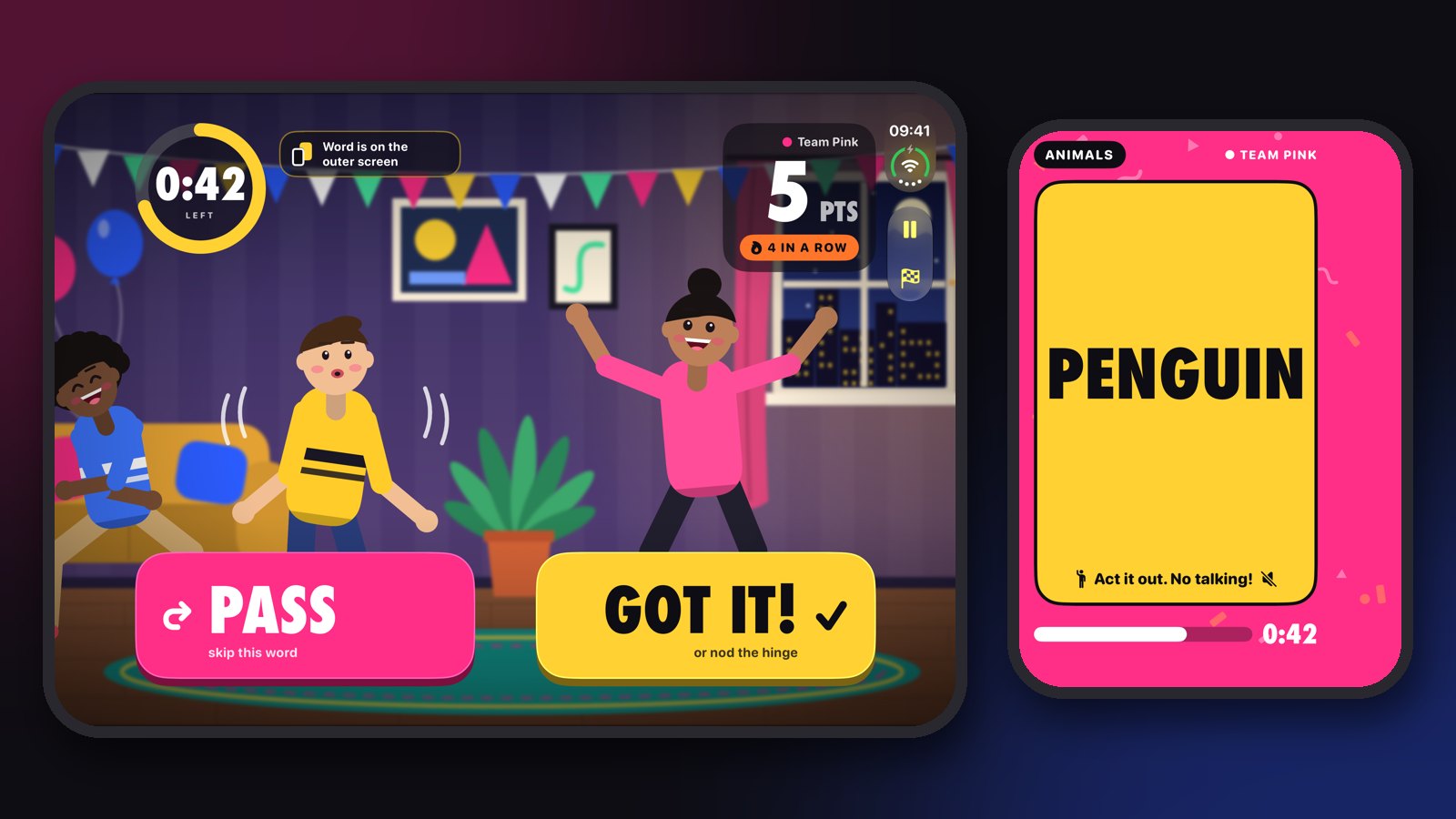
Hold iPhone Duo open like a book. The word appears on the outer screen, facing your friends, and you watch them act it out on the inside. They can see the word. You can't.
Nod to score
Guess out loud, then tap Got it, or give the hinge a quick little close-and-open. Pass skips a word you can't get.
Closed, it's classic charades
Fold the phone and Two-Faced plays on the outer screen: the actor holds the card to peek at the word, acts it out, and taps Got it when the team says it.
Private by design
No account, no ads, no tracking and no subscriptions, and it works offline. The camera only runs during a round on the open phone, and nothing is recorded or saved. Privacy policy
Seven decks, 470 words, all included
- Spooky NightGhosts, mummies and haunted houses
- AnimalsPenguins to porcupines
- ActionsSneezing, juggling, moonwalking
- Kids ModeEasy words for little actors
- Food FightSpaghetti, tacos, pancakes
- JobsDentist, pilot, lion tamer
- SportsSurfing, curling, sumo
Support
What do I need?
An iPhone Duo with iOS 27.1 or later, and a few friends.
Why does Two-Faced ask for the camera?
iPhone Duo only lets an app use the outer screen while the phone is open if the app's camera is running. Two-Faced turns the camera on during a round so your friends can see the word, and shows you a live view of them acting. Nothing is recorded or saved.
The word isn't on the outer screen
Check that camera access is on in Settings › Apps › Two-Faced. Without it, Two-Faced plays the classic way instead: the actor holds the card to peek at the word.
How do teams work?
Pink and Blue take turns, and the score carries on from round to round. Tap Teams on the start screen to play without teams or to start a new game.
Something else?
Email me at haidernawaz737@gmail.com and I'll get back to you.